
Adult Day Care Attendance Tracking: From Sign-In to Billing
See how connected attendance tracking keeps service times, transportation, exceptions, reports, billing units, and claims tied to the same daily record.
Watch the video walkthrough
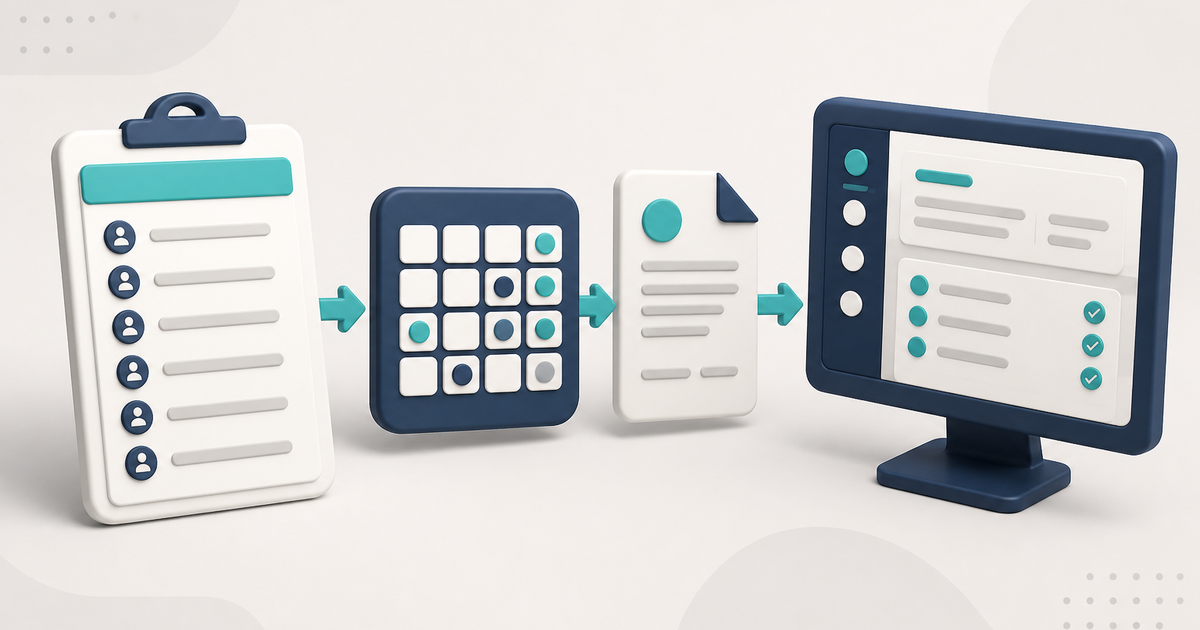
Adult day care attendance tracking should do more than record who was present. When attendance later affects transportation records, billing units, reports, and claims, the service date needs to stay consistent from the first entry through the final report.
For the broader software decision, see Adult Day Care Software: The Complete Guide for 2026. For a product-level overview of how ElderSuite handles this work, see adult day care attendance tracking software.
Record the service date once
In ElderSuite, Attendance & Transportation Records in the Client Center shows one service date at a time, one row per client, and four time fields.
The outer pickup and drop-off times represent the main attendance span. The middle pair is available when a client leaves and later returns.
The roster for a service date depends on the client’s enrollment dates. A client without the required enrollment date information may not appear for the day being recorded.
Let the times calculate the units
On the Attendance & Transportation Records grid, ElderSuite calculates Units from the paired attendance times using the unit definitions on the client’s Payment Type.
This keeps the initial billed units tied to the documented service times instead of requiring a second manual entry. When a claim is edited from Scrub Claims, the calculated Units value can be adjusted manually when needed.
Handle exceptions on the same daily record
A useful attendance system needs to handle late arrivals, early departures, a mid-day leave and return, and a client who did not attend.
In ElderSuite, an empty set of attendance times represents a day not attended. A leave-and-return can use the middle time pair. Corrections are made on the service date that contains the original entry.
Use routes when the center transports clients
ElderSuite keeps route assignments and pickup order in the Client Center. Daily Transportation Record - Form 3682 can be printed for the route and completed by hand.
The printed Form 3682 includes the information ElderSuite needs to match the completed sheet back to the daily attendance workflow. Keep the bottom margin unobstructed so the scan reference remains readable.
Choose typed, scheduled, quick, or scanned time entry
ElderSuite provides several ways to place times on the attendance grid: staff can type them, use stored scheduled times, use Quick Check-In, or use Scan Times with completed Form 3682 sheets.
Scan Times imports handwritten times into the grid for review. It does not finalize the attendance record by itself. Staff review the imported times and use Save & Close to store the day.
Sheets scanned together must represent the same service date. Blank or unreadable cells should remain blank rather than being guessed.
How to Scan Attendance & Transportation Times in ElderSuite covers that workflow.
Protect attendance after the claim moves beyond Pending
In ElderSuite, attendance times are editable while the claim is Pending or has no claim status. Once the claim moves beyond Pending, the time cells become read-only for that client and service date.
This keeps the attendance record consistent after the claim has moved into later processing.
Use reports for the question being asked
The Report Center includes attendance-facing reports such as the monthly Attendance Calendar, Attendance Summary, weekly Attendance Record, and Client Absence Report.
Those reports read saved attendance. They do not create or change the underlying service record.
How to Print Attendance and Absence Reports in ElderSuite explains the report choices.
Attendance becomes the billing record
Saving attendance for a client on a service date creates the associated claim as Pending. The Claim Center then provides the later billing workflow: Scrub Claims, Process Claims, View Reports, and Reconcile Claims.
Scrub Claims is required before submission. Run Scrub & Fix, resolve every scrub error, rerun the scrub until the claims are error-free, and save the successfully scrubbed claims. After the claim has been scrubbed successfully, use Process Claims to build and transmit the electronic claim batch.
The service date staff record for attendance remains the same service record used later for billing and claim processing.
Follow ElderSuite in Google
Add ElderSuite as a Preferred Source to help Google show you more of our adult day care articles, industry updates, and resources.
Read the 2026 complete guide for the broader software workflow, or open Ask Eddie inside ElderSuite for help with a specific attendance screen.
ElderSuite is adult day care software for attendance, Medicaid billing, nursing documentation, and CACFP. You can try it free for 30 days.
Start a Free Trial
