
Provider Center
Manage Provider Documents
Keep the center's own paperwork in ElderSuite: licenses, permits, insurance policies, inspection reports and agreements. Add a PDF or scan the paper, then open it from any computer at the center.
Free for 30 days. Full version. No credit card required. No contracts.
What It Covers
The Center's Document File
Add PDF files that are already on the computer
Scan paper documents straight into the list
A title, description, date added and size for each document
Search by title or description
Open documents inside ElderSuite
Signed fire drill reports filed automatically
Provider Documents
Paperwork That Belongs to the Center
Some documents belong to the center, not to a client or an employee. Provider Documents is the list where they are filed, so the center can find them and produce them when asked.
Adding and Finding
File a Document and Find It Again
From a File
Choose a PDF file that is already on the computer and add it to the list.
From a Scanner
Scan a paper document with the ElderSuite Scan Manager. The scan goes into the list as a new document.
Suggested Titles
Pick one of nineteen suggested titles, such as License / Certification, Insurance Policy / Liability Coverage, Fire Inspection Report or Provider Agreement, or type a title. Titles typed before are offered again.
Title and Description
Add a description to explain what the document is. The title and the description can be corrected later, directly in the list.
Find
Type part of a title or a description to narrow the list to the matching documents.
View
A PDF opens in the Document Viewer inside ElderSuite. The date added and the file size are filled in by ElderSuite.
ElderSuite Document Server
Stored Off the Computer, Open From Any Workstation
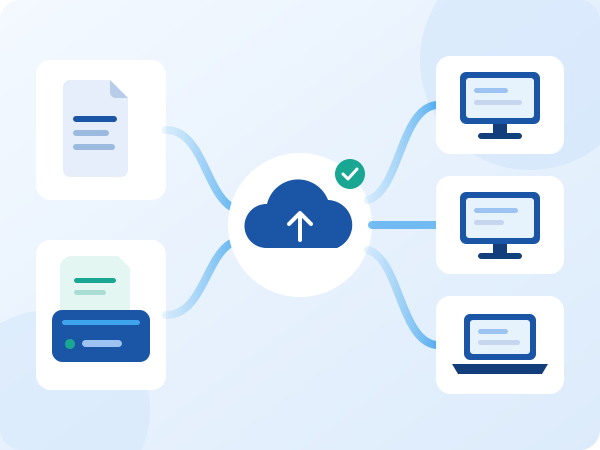
Document files are stored on the ElderSuite Document Server, not on the computer that added them. The list of titles, descriptions, dates and sizes is kept in the ElderSuite database.
A document added at one computer can be opened at any other computer at the center that runs ElderSuite. The file is downloaded the first time it is opened there.
Safeguards
Built So a Document Is Not Lost
Nothing changes until Save & Close. Added documents, corrected titles and removed documents are saved together, and closing the window with unsaved changes brings up a question first. Removing a document also asks for confirmation.
Before a new document is recorded, ElderSuite confirms that its file reached the Document Server. If a file cannot be confirmed, ElderSuite names the document and saves nothing, so the list never shows a document that cannot be opened.
Two people at once
If another user changed the documents while the window was open, ElderSuite refuses the save and reloads the list. It does not write over the other person's work.
Sign & Sync
Signed Fire Drill Reports Arrive by Themselves
When a signed fire drill report is scanned with Sign & Sync, ElderSuite files the signed copy with the provider documents. It appears in this list with no extra step.
Access
For a Limited Access employee, Provider Documents is its own permission on the employee record. The center chooses who may open the center's paperwork.
Move Your Center's Paperwork Into ElderSuite
Scan it once and open it from any workstation. Free for 30 days. No credit card required.

