
837P Claims for Adult Day Care Providers: A Plain-English Guide
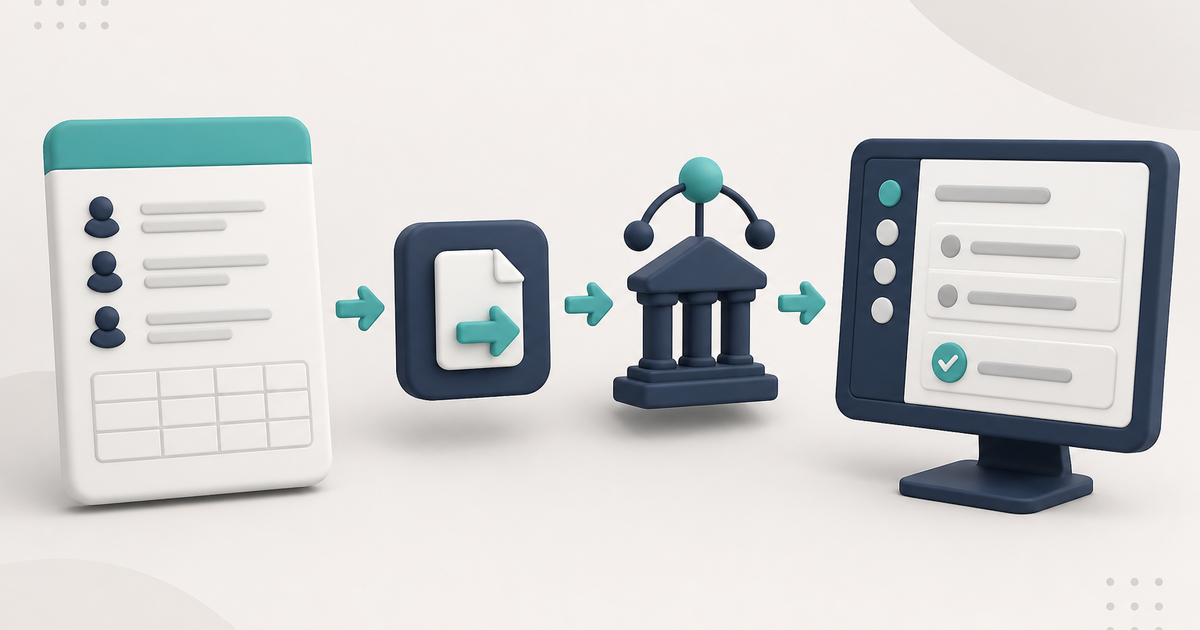
An 837P is the professional electronic claim ElderSuite builds from stored attendance, client, provider, and payer data and sends through Availity or TMHP. What goes in it, what comes back, and how corrections work.
Watch the video walkthrough
An 837P is the professional electronic health-care claim transaction used for services billed on the professional-claim side of the health-care system. In an adult day care setting, whether 837P is the correct transaction depends on the payer and the service being billed.
In ElderSuite, staff do not type an 837P by hand. The electronic claim is built from the client, provider, payer, and daily service records already stored in the software. For the operating steps, see How to Process Claims in ElderSuite. For the wider billing workflow the 837P sits inside, see the adult day care billing software page.
What an 837P represents
The 837P is the HIPAA-standard ASC X12 electronic transaction for professional claims. It carries the same class of billing information that appears on a professional paper claim form, but as structured data segments a clearinghouse and payer can read by machine. "837" is the transaction set; "P" is the professional variant, as opposed to the 837I used for institutional claims.
For ElderSuite users, the important point is that the claim begins with the service record. Saving Attendance & Transportation Records for a client on a service date creates the associated Pending claim. ElderSuite calculates units from the recorded times and the client's Payment Type rather than asking staff to type units into the electronic file.
Do adult day care providers use 837P claims?
Most adult day care centers that bill Medicaid, a Medicaid managed care plan, or a waiver program electronically send an 837P. The exceptions are payment arrangements where no claim goes to a clearinghouse at all.
- Texas DAHS fee-for-service claims go to TMHP as 837P files. STAR+PLUS managed care claims go to the plan, through Availity. Our Texas Medicaid DAHS rates and billing guide covers the unit rules behind those claims.
- Texas DAHS-ISS is different. The facility never bills Medicaid for ISS days; the HCS or TxHmL program provider bills the state and pays the facility under a subcontract. ElderSuite handles that by statement, not by 837P. See DAHS vs. DAHS-ISS billing and the ISS billing page.
- Other states vary. Where the state or its managed care plans accept claims through Availity, ElderSuite can send the 837P. Where adult day claims flow through a waiver agency contract or a state case-management system instead of a clearinghouse, there is no 837P to send. Our state guides say which is which, from Colorado to Maryland, and How Medicaid Billing Works in Adult Day Care explains the general pattern.
CMS-1500 vs. 837P
The CMS-1500 is the paper professional claim form. The 837P is its electronic counterpart. They carry the same categories of information, and the box numbers on the paper form are often used as shorthand for the equivalent electronic data elements. When a payer or clearinghouse refers to "Box 24B" or "Box 33," they are describing a field that also exists in the 837P.
ElderSuite submits 837P EDI files, not paper forms. The Health Insurance Claim Form window in the Claim Center is the on-screen view of the claim data, laid out in the familiar form pattern so staff can review and correct it, but what leaves the software is the electronic transaction. Qualifiers and segment formatting that a payer might mention when describing its 837P requirements are handled by the software.
What goes into an adult day care 837P
The claim transaction draws from several parts of ElderSuite:
- Provider Information supplies the billing provider's name, NPI, tax identification number, and address. The address must include the ZIP+4; a five-digit ZIP is a common reason a payer drops a claim that the clearinghouse accepted. ElderSuite sends the adult day care taxonomy code 261QA0600X automatically on every electronic claim. It is not a field anyone enters, so it cannot be entered incorrectly; a payer reporting a taxonomy mismatch is comparing it against its own enrollment record.
- Client Information and Claim Setup supply the patient and subscriber information, including the insured ID number, ID type, and relationship, along with the client's physical address.
- Payment Type supplies the payer ID, the default service code, modifier, place of service, and pay rate. These defaults flow from the payment type onto the client's Claim Setup and then onto each claim, so a value fixed on the payment type is fixed for every client on it.
- Attendance & Transportation Records supply the service date and the units ElderSuite calculates from the recorded times.
- Claim-specific fields carry the diagnosis code, prior authorization number, the charge amount, and, when a claim is being corrected or cancelled, the resubmission code and the original claim number.
The exact transaction content varies with payer requirements, including which optional fields a given payer treats as required.
How attendance becomes the claim
Each service day starts as an attendance record. Saving the client's Attendance & Transportation Record for a date creates a Pending claim for that date, with units derived from the recorded arrival and departure times and the rules on the client's Payment Type. Nobody re-keys the day into a billing screen, which removes the most common source of attendance-to-claim mismatches.
Days recorded on an ISS Program Provider payment type never appear in the claims workflow. There is no claim for those days; the facility bills the program provider by statement from Create ISS Statements on the Claim Center.
Where authorization fits
Many payers require a prior authorization number on the claim, and most will deny a claim for dates of service outside the authorized period or beyond the authorized units. In ElderSuite the authorization is recorded on the client's record and copied onto claims when they are scrubbed.
ElderSuite does not block an unauthorized claim. It will build and send the 837P; the payer decides whether to pay it. If a client's authorization has lapsed, the practical sequence is to check with the payer which dates are eligible and whether a retroactive authorization is available, record the authorization on the client, then scrub and resubmit the affected claims.
Scrub the claims before submission
Before opening Process Claims, use Claim Center → Scrub Claims for the period being billed. Run Scrub & Fix, resolve every scrub error, and save the corrected claims.
Scrub & Fix works through every Pending claim in the date range. It fills in missing claim information (payment type, diagnosis code, place of service, service code, modifier, prior authorization number, insured ID number, ID type, and insured relationship) by copying the values held on each client's record, brings each claim's pay rate up to date, and works out the amount where none has been entered. Any claim it cannot completely fix is marked with an error flag in the first column of the grid.
Two limits are worth knowing. The scrub fills blanks; a value that is present but wrong has to be corrected on the individual claim. And a value that is missing from the client record cannot be copied from it, so a claim that stays flagged after a scrub usually points to a gap on the client's Claim Setup or Payment Type rather than on the claim itself.
How to Scrub Claims in ElderSuite covers that required step.
How ElderSuite sends the transaction
After the claims have been scrubbed successfully, open Claim Center → Process Claims. The wizard asks for the payer, clearinghouse, service dates, and clients. It gathers the matching Pending, error-free claims, builds the electronic claim batch, stamps each claim with the batch control number, and uploads it.
ElderSuite supports electronic submission through Availity and TMHP. Claims move to Submitted only after the upload succeeds. If the upload fails, they remain Pending.
The clearinghouse route must match the payer. Traditional Texas Medicaid / DAHS fee-for-service claims use TMHP; payers that accept claims through Availity use the Availity route. Sending a claim down the wrong route produces a rejection, not a payment. What a Clearinghouse Does in Adult Day Care explains the difference between the clearinghouse and the payer.
What comes back after submission
Several reports can come back for the same batch, and they answer different questions in a fixed order. Download them from Claim Center → View Reports.
- Could the file be read? The TA1 and 999 acknowledge the file structure. A rejection here means nothing in the batch was processed; correct the cause and resubmit the batch.
- Did the clearinghouse accept each claim? Availity's immediate batch responses (IBT, IBTP, 277IBR, 277IBRP) and the EBT report on the clearinghouse's own front-end edits. An "accepted" here means the claim passed the clearinghouse and is queued to be forwarded. The payer has not seen it yet.
- Did the payer accept each claim for adjudication? The 277 and 277CA speak for the payer. This is the first report that proves the payer received the claim, and it carries the payer's claim number.
- Is the payer still working on it? The DPT and DPR list claims the payer has acknowledged but not yet decided. A claim on one of these is not rejected, denied, or paid. Do not resubmit it unless a later report actually rejects it.
- What did the payer pay, deny, or adjust? Only the 835 / ERA carries the payment decision, the amount paid, and the adjustment reason codes.
Billing report types in ElderSuite walks through each file.
Does an accepted 837P mean the claim will be paid?
No. Accepted is not paid. A clearinghouse acceptance proves the file passed front-end edits; a payer acknowledgment proves the payer has the claim. Neither is a payment decision. The 835 / ERA is the only report that answers whether the claim was paid, how much was paid, and why an amount was reduced or denied.
Running Auto Reconcile on a downloaded report updates ElderSuite's claim statuses and claim numbers from what the report says. It does not post payments, and it does not touch a claim already marked Rejected; those need a person to set the claim back to Pending, correct it, and resubmit. How Auto Reconcile Updates Claim Statuses in ElderSuite explains the rules.
Corrected and voided claims
A claim that was rejected before the payer accepted it goes back out as an Original. Set it back to Pending, fix it, scrub it, and process it again; no special code is needed.
A claim the payer has already accepted or paid is different. To change it, open the claim's Health Insurance Claim Form and set the Resubmission Code: Replacement tells the payer this claim replaces a prior one (some payers call this a corrected claim); Void tells the payer to cancel the prior claim. Either choice makes the Original Reference No. required. That number is the payer's claim number, which you will find on the 277 / 277CA or the 835 / ERA in the report detail viewer. Once the claim is Pending again, the Process Claims wizard sends it with the code you chose. How to Adjust a Submitted Claim has the screen-by-screen steps.
What is not an 837P
Export Claims creates a CSV working file from the claims listed in Scrub Claims. That CSV is not the electronic claim transaction sent through the clearinghouse.
The reports that come back are also different transactions. Acknowledgment and claim-status reports describe what happened after submission, while an ERA/835 is a remittance transaction. Those response files are not the 837P that was sent.
An ISS statement is not an 837P either. It is the facility's invoice to a program provider, produced from the ISS Statement Wizard, and it never goes to a clearinghouse.
Pre-submission checklist
- Provider Information carries the correct NPI, TIN, and a ZIP+4 address, and matches the payer's enrollment record.
- Every client on the batch has a payment type with the right payer ID, service code, modifier, and place of service, and a current pay rate.
- Each client's Claim Setup carries the insured ID, ID type, relationship, and diagnosis code the payer expects.
- Authorizations are recorded and cover the dates and units being billed.
- Attendance & Transportation Records are saved for every service date being billed, and only for days the client attended.
- Scrub & Fix has run and no claim on the batch still shows an error flag.
- The clearinghouse selected in Process Claims is the route the payer actually uses.
- Corrected claims carry the right resubmission code and the payer's original claim number.
After the claim leaves
Download and review the available billing reports, then reconcile the result back to the same ElderSuite service record. If a claim is rejected or denied, How to Prevent Adult Day Care Claim Denials covers where claims fail and how to fix each kind. For the reconciliation path, see How Auto Reconcile Updates Claim Statuses in ElderSuite.
Follow ElderSuite in Google
Add ElderSuite as a Preferred Source to help Google show you more of our adult day care articles, industry updates, and resources.
Learn more about the complete billing workflow on the Adult Day Care Billing Software page, or open Ask Eddie inside ElderSuite for help with a specific screen.
ElderSuite is adult day care software for attendance, Medicaid billing, nursing documentation, and CACFP. You can try it free for 30 days.
Start a Free Trial
