
What Is a Clearinghouse? A Guide for Adult Day Care Providers
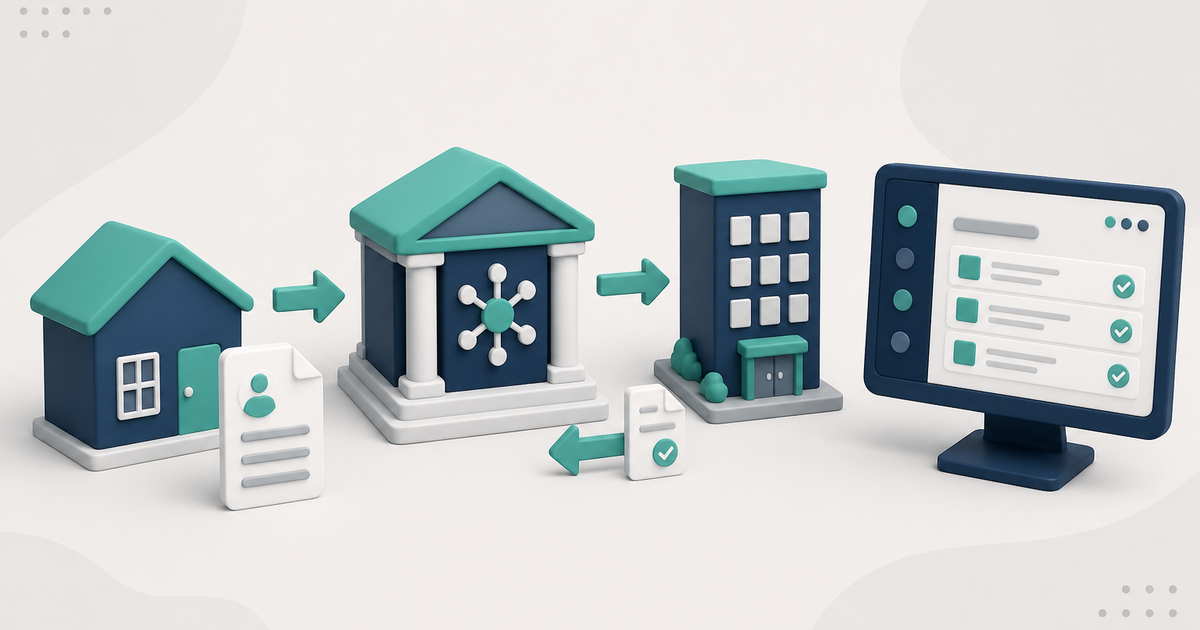
A clearinghouse sits between the adult day care center and the payer. It receives the electronic claim transaction and returns response files. Acceptance is not payment.
Watch the video walkthrough
A health-care clearinghouse is the electronic trading partner that receives claim transactions from a provider or billing system, performs front-end processing, routes claims to the appropriate payer, and returns electronic reports. The payer still decides coverage, adjudication, and payment.
That distinction matters because accepted by the clearinghouse does not mean paid by the payer.
For ElderSuite's billing workflow, see Adult Day Care Billing Software.
The three roles are different
ElderSuite prepares and transmits the claim from the center's service records.
The clearinghouse receives the electronic transaction, performs the processing supported by that trading partner, routes claims, and makes response files available.
The payer determines whether the claim is accepted for adjudication, denied, adjusted, or paid according to the payer's rules.
How ElderSuite uses a clearinghouse
In ElderSuite, saving Attendance & Transportation Records creates the daily Pending claim. The Claim Center then organizes the workflow as Scrub Claims, Process Claims, View Reports, and Reconcile Claims.
Scrub Claims is required before transmission. Run Scrub & Fix, resolve every scrub error, and save the scrubbed claims before opening Process Claims.
After the claims have been scrubbed successfully, Process Claims is the transmission step. The wizard selects the payer, clearinghouse, service dates, and clients, gathers the matching Pending, error-free claims, builds the electronic claim batch, and uploads it.
ElderSuite supports electronic claim connections through Availity and TMHP. Traditional Texas Medicaid / DAHS fee-for-service claims use TMHP, while payers that accept claims through Availity use the Availity route. The payer's actual routing instructions remain the authority.
Payer IDs and clearinghouse credentials are different
The payer's electronic ID is stored on the ElderSuite Payment Type. Clearinghouse connection information is maintained separately in Manage Clearing Houses.
A successful connection to a clearinghouse confirms connectivity, but it does not verify that a payer ID or payer route is correct. Use the payer or trading partner's current routing information.
Why several reports may come back
Electronic billing has multiple stages. A transmission-level acknowledgment can show that a file was processed structurally. A claim-status response can show whether a claim moved to a later stage. A remittance can report payment, denial, and adjustment information.
The exact report names and timing depend on the clearinghouse and payer. Read each report for the stage it represents rather than treating every acceptance message as a final outcome.
Download and review the reports
In ElderSuite, staff use Claim Center → View Reports and Download Reports to retrieve available files from the selected clearinghouse. Review the report before changing claim statuses.
Reconcile the report back to the service record
Auto Reconcile can match eligible report rows to ElderSuite records using insured ID and service date. It can apply eligible status updates, store a claim number when available, and create an audit note. Manual reconciliation is available through Reconcile Claims.
How Auto Reconcile Updates Claim Statuses in ElderSuite explains the automated process.
The key distinction
A clearinghouse is the electronic path between the billing software and the payer. It is not the payer, and its acceptance of a transaction is not the same as the payer's final adjudication or payment.
Follow ElderSuite in Google
Add ElderSuite as a Preferred Source to help Google show you more of our adult day care articles, industry updates, and resources.
For the full ElderSuite billing workflow, open Adult Day Care Billing Software. For help with a specific screen, use Ask Eddie inside ElderSuite.
ElderSuite is adult day care software for attendance, Medicaid billing, nursing documentation, and CACFP. You can try it free for 30 days.
Start a Free Trial
