
Medicaid Billing for Adult Day Care: A Practical Guide
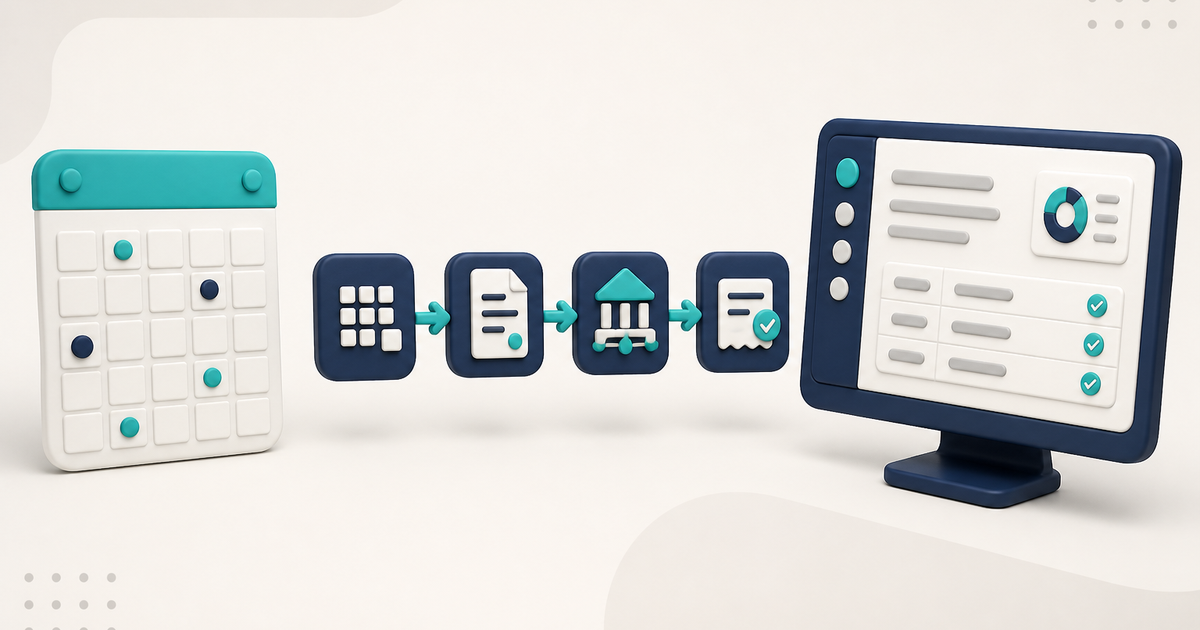
Medicaid billing for adult day care runs from eligibility and attendance to units, a claim, a clearinghouse, and remittance. Each state Medicaid program still sets rates, codes, authorization, and routing rules.
Watch the video walkthrough
Medicaid billing for adult day care varies by state, program, and payer. For time-based adult day services billed electronically as professional claims, the practical workflow often runs from eligibility and enrollment to attendance, payer-defined units and codes, claim submission, and the reports or remittance that come back.
Rates, codes, unit definitions, authorization requirements, electronic routing, filing rules, and any EVV requirements must be confirmed with the Medicaid program or managed-care payer that covers the service.
For ElderSuite's billing workflow, see Adult Day Care Billing Software.
Confirm the payer rules before you configure the software
Before billing, verify the covered service, reimbursement method, procedure code and modifier, place of service, unit definition, authorization requirements, payer ID, clearinghouse route, and any state-specific documentation rules.
ElderSuite supports electronic claim submission through TMHP for traditional Texas Medicaid / DAHS fee-for-service and through Availity for payers that use Availity. Other Medicaid programs may use different trading partners or routing requirements.
Set up the client before recording the service date
Medicaid eligibility and provider enrollment are determined outside ElderSuite. ElderSuite does not decide whether a client is eligible for a date of service.
In ElderSuite, the client's billing setup is maintained under Client Information → Admission Info → Payment Settings. Select the correct Payment Type, complete the insured/member information used for claims, and enter authorization details when the payer requires them.
Manage Payment Types stores the payer name, clearinghouse payer ID, billing defaults, pay rate, and unit definitions. The payer or clearinghouse supplies the payer ID; ElderSuite does not assign it.
How to Add a Client in ElderSuite covers the client record.
Use the attendance record as the service record
In ElderSuite, saving Attendance & Transportation Records for a client on a service date creates the associated claim with status Pending. ElderSuite calculates Units from the paired pickup and drop-off times using the unit definitions on the client's Payment Type.
When an eligible claim is edited from Scrub Claims, the calculated Units value can be adjusted manually when needed. Unit definitions and billing rules remain payer-specific.
How to Record Attendance and Transportation Times in ElderSuite covers the daily record.
Scrub the claims before transmission
Scrub & Fix is required before Process Claims. It reviews Pending claims and copies missing billing values from the client record where available. It refreshes the pay rate, calculates an amount when the current amount is zero, and flags claims it cannot complete.
Resolve every scrub error, run the scrub again until the error clears, and save the scrubbed claims before submission. Scrubbing does not replace payer verification; a successfully scrubbed claim can still be rejected or denied when payer-side eligibility, authorization, enrollment, or other requirements are not satisfied.
How to Scrub Claims in ElderSuite covers the screen.
Send the claim through the payer's actual electronic route
After the claims have been scrubbed successfully, open the Process Claims Wizard. It asks for the payer, clearinghouse, service dates, and clients, then selects the matching Pending, error-free claims, builds the electronic professional-claim transaction, and uploads the batch.
Claims move to Submitted only after a successful upload. If the upload fails, they remain Pending. Confirm that the selected clearinghouse is the route the payer actually accepts before sending a live batch.
How to Process Claims in ElderSuite is the operating guide.
Download the reports and reconcile the result
Clearinghouse acceptance is not payment. Staff should download and review the available billing reports after submission.
In ElderSuite, Auto Reconcile can match eligible report rows to the original attendance records using insured ID and service date, then update eligible claim status, claim number when available, and an audit note. Manual reconciliation is also available through Reconcile Claims.
How Auto Reconcile Updates Claim Statuses in ElderSuite explains that workflow.
Keep provider enrollment changes coordinated
Electronic claims use provider identifiers maintained in Provider Information. Updating an NPI, Tax ID, address, or other provider data in ElderSuite does not update Medicaid, managed-care plans, NPPES, banking, or other external systems. Coordinate effective dates before billing under changed information.
What to Do When Your Adult Day Care Center Changes Owners, Address, NPI, or Tax ID covers that process.
The practical rule
Use ElderSuite to keep the service record and claim workflow connected, and use the payer and state Medicaid program as the authority for coverage, codes, rates, units, authorization, and routing requirements.
Follow ElderSuite in Google
Add ElderSuite as a Preferred Source to help Google show you more of our adult day care articles, industry updates, and resources.
For the full ElderSuite billing workflow, open Adult Day Care Billing Software. For help with a specific billing screen, use Ask Eddie inside ElderSuite.
ElderSuite is adult day care software for attendance, Medicaid billing, nursing documentation, and CACFP. You can try it free for 30 days.
Start a Free Trial
