
What Is Adult Day Care Management Software?
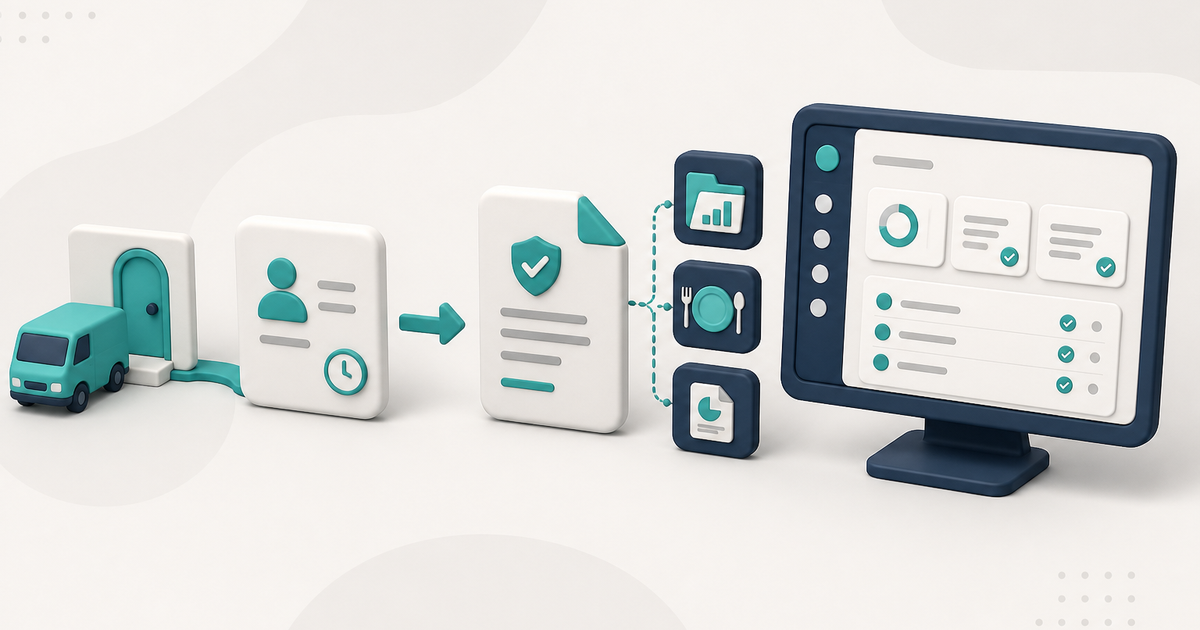
Adult day care management software keeps one record from sign-in through the claim, plus the chart, meals, and the named reports a center actually prints.
Watch the video walkthrough
Adult day care management software is designed to organize the operational records an adult day care center uses every day. Depending on the product, that can include client records, attendance, transportation, nursing documentation, meals, billing, staff access, documents, and reports.
The most useful systems reduce duplicate entry between those areas. For example, if attendance is later used for billing, the software should keep the service times and claim workflow connected rather than requiring staff to recreate the same day in another system.
Client and daily service records
A core adult day care workflow is knowing who was enrolled, who attended, and what happened on a particular service date.
In ElderSuite, Client Information stores the client record. Attendance & Transportation Records stores the daily pickup and drop-off times. ElderSuite calculates billing units from those times using the client’s Payment Type, and the calculated Units value can be adjusted when an eligible claim is edited from Scrub Claims.
How to Record Attendance and Transportation Times in ElderSuite covers that daily workflow.
Billing connected to the service date
In ElderSuite, saving attendance for a client on a service date creates the associated claim as Pending. The Claim Center then provides Scrub Claims, Process Claims, View Reports, and Reconcile Claims.
Before submission, run Scrub & Fix, resolve every scrub error, and save the scrubbed claims. After the claims have been scrubbed successfully, use Process Claims to build and transmit the electronic claim batch.
ElderSuite supports electronic claim submission through Availity and TMHP. Clearinghouse acceptance is not the same as payer payment.
For the complete billing path, see Adult Day Care Billing Software.
Clinical and nursing documentation
Adult day care centers that maintain nursing records need a clear place for diagnoses, medications, physician’s orders, assessments, treatments, and nursing notes.
ElderSuite keeps those records in the Nursing Center. Activity assessments remain in the Client Center because they document participation rather than nursing care.
ElderSuite’s adult day care documentation software page covers these documentation workflows in more detail.
Meal and nutrition records
For centers that serve meals, management software may also organize daily meal marks, meal-eligibility paperwork, and nutrition reports.
In ElderSuite, Meal Records tracks Breakfast, Morning Snack, Lunch, and Afternoon Snack for each client on a service date. Meal Applications are separate records used for the Meal Benefit Income Eligibility form.
Documents and paper workflows
Even a digital system may still need to handle signed paper. ElderSuite provides separate document lists for client, employee, and provider records. It also provides Scan Times for handwritten transportation sheets and Scan Meals for marked meal logs.
The ElderSuite Scan Manager is the scanning tool used from those workflows; it is not a single document-storage location.
Reports and exports
ElderSuite’s Report Center organizes Provider, Client, Nursing, and Nutrition reports. Reports read saved records and produce the printouts or viewer documents staff need.
ElderSuite also provides two CSV data exports: Export Client Records and Export Claims.
Staff access and product organization
ElderSuite is a Windows desktop application organized into seven Centers: Provider Center, Client Center, Nursing Center, Nutrition Center, Claim Center, Report Center, and Help Center.
Employee management is located in the Provider Center, while attendance and transportation are handled in the Client Center.
What to look for when comparing products
The category name matters less than the workflow. Ask whether the product can show how a real service date moves through attendance, documentation, reports, and billing without unnecessary re-entry.
For the longer comparison, read Adult Day Care Software: The Complete Guide for 2026.
Follow ElderSuite in Google
Add ElderSuite as a Preferred Source to help Google show you more of our adult day care articles, industry updates, and resources.
Read the 2026 complete guide for the broader comparison, or open Ask Eddie inside ElderSuite for help with a specific screen.
ElderSuite is adult day care software for attendance, Medicaid billing, nursing documentation, and CACFP. You can try it free for 30 days.
Start a Free Trial
