Article

What to Do When Your Adult Day Care Center Changes Owners, Address, NPI, or Tax ID

A new owner, address, business name, NPI, or Tax ID can affect licensing, Medicaid enrollment, payer contracts, claims, banking, and center records. Learn how to coordinate these changes and keep ElderSuite information accurate.
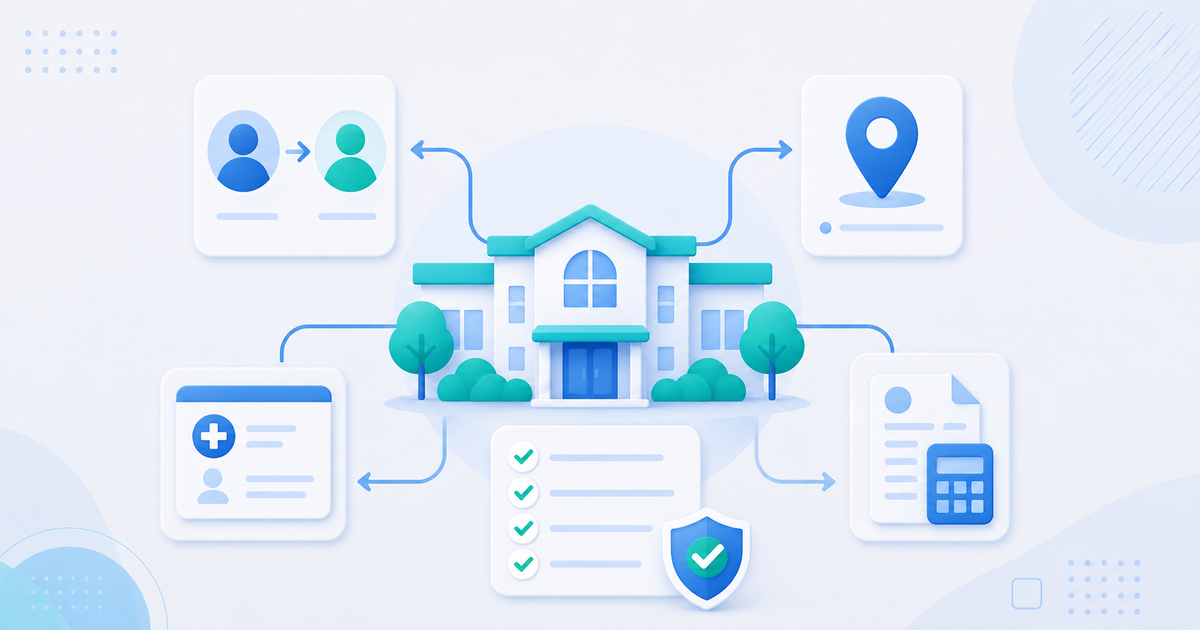
Illustration of an adult day care center coordinating ownership, address, NPI, and Tax ID updates

Changing an adult day care center’s owner, address, business name, National Provider Identifier, or federal Tax ID can affect much more than the information printed on a form.

The same provider information may appear in state licensing records, Medicaid enrollment, managed-care contracts, claims, tax records, banking instructions, insurance policies, food-program records, clearinghouse settings, and ElderSuite.

When one system is updated and another is not, the center may experience rejected claims, delayed payments, returned correspondence, licensing questions, credentialing problems, or reports displaying outdated information.

The safest approach is to treat a provider change as a coordinated compliance project. Determine exactly what is changing, establish the effective date, notify every applicable organization, retain written confirmation, and verify that the updated information appears correctly everywhere it is used.

First determine what is changing

Not every update represents a legal change of ownership. Before submitting forms or editing records, identify the type of change taking place.

Correction to existing information

A spelling correction, suite number, telephone number, or mailing-address update may involve the same legal entity, owner, NPI, Tax ID, license, and payer contracts.

Even a simple correction may need to be reported if a licensing agency, Medicaid program, payer, bank, or other organization has incorrect information.

Change of business or trade name

A center may change its legal business name, begin using a different “doing business as” name, or change both.

These changes are not always treated the same way. Agencies and payers may request documentation showing whether the legal entity changed or only the public-facing name changed.

Change of physical or mailing address

A mailing-address change primarily affects correspondence. A physical-location change may have broader consequences because it can affect:

  • The center’s license
  • Inspections and occupancy approvals
  • Medicaid and payer enrollment
  • Service-location information on claims
  • Transportation planning
  • Insurance coverage
  • Food-program participation
  • Banking and payment records

Providers should confirm the required approvals before beginning operations at a new physical location.

Change in owner or controlling interest

An owner may change without the business necessarily receiving a new Tax ID. In other transactions, the purchase creates an entirely new legal entity.

Licensing agencies, Medicaid programs, and managed-care organizations may define a reportable change of ownership or controlling interest differently. Updating an owner’s name in center records does not, by itself, complete a legal ownership transfer.

Change in NPI or Tax ID

The NPI and federal Tax ID identify different things.

An NPI identifies a health-care provider in standard health-care transactions. An Employer Identification Number, or EIN, identifies a business for federal tax purposes.

A change involving either identifier can affect enrollment and claims, but the circumstances requiring a new NPI and a new EIN are not identical.

Create one master change record

Before contacting agencies or changing software records, create a central record containing:

  • The current legal business name
  • The current DBA or trade name
  • The new legal or DBA name, if applicable
  • The current and new physical addresses
  • The current and new mailing addresses
  • The seller’s and buyer’s names when ownership is changing
  • Current and new authorized representatives
  • The current NPI
  • State provider and license numbers
  • The current federal Tax ID
  • Any new identifiers officially assigned
  • The proposed legal and operational effective date
  • Every organization that must be notified
  • Submission dates and confirmation numbers
  • Approval dates
  • The person responsible for each update

Using one master record reduces the risk of submitting inconsistent names, addresses, dates, or identifiers to different organizations.

Coordinating an address change

An address change may need to be reported separately to:

  • The state adult day care licensing agency
  • State Medicaid provider enrollment
  • Medicaid managed-care organizations
  • Other payers
  • The National Plan and Provider Enumeration System
  • The Internal Revenue Service
  • The state’s business-registration agency
  • Banks and electronic-funds-transfer administrators
  • Insurance carriers
  • Food-program agencies or sponsors
  • Clearinghouses and billing partners
  • Vendors and contracted service providers

CMS states that a covered health-care provider must notify NPPES of an address change within 30 days of its effective date. Providers that have an NPI but are not covered entities are encouraged to do the same. See the CMS Unique Identifiers FAQs.

The IRS uses Form 8822-B for changes to a business mailing address, business location, or responsible party. The IRS requires a responsible-party change to be reported within 60 days.

Updating one organization does not automatically update another. Changing an address with a licensing agency does not necessarily update NPPES, Medicaid, a payer, the IRS, or ElderSuite.

Coordinating a business-name change

First determine whether the legal business name changed, the DBA name changed, or both.

The legal name used for enrollment should agree with the legal and tax documents required by the receiving organization. The CMS NPI application distinguishes between an organization’s legal business name and a DBA or former legal business name.

When a business name changes, review:

  • Licensing records
  • Medicaid and payer enrollment
  • NPPES information
  • Tax records
  • Banking and electronic-payment information
  • Insurance policies
  • Contracts and vendor agreements
  • Facility signage and required postings
  • Claims and remittance records
  • Forms and reports
  • Letterhead, notices, websites, and public listings

A claim submitted under a new name may be rejected or delayed if the payer still associates the NPI and Tax ID with the previous name.

Understanding NPI changes

An address or name change does not ordinarily mean that a provider should request a new NPI.

CMS describes the NPI as a lasting identifier that is expected to remain unchanged when a provider changes its name, address, taxonomy, or other information reported on the original application.

Ownership transactions require closer review. CMS explains that an organization may need a new NPI in certain ownership situations depending on:

  • The conditions of the purchase
  • The legal entity involved
  • The new owner’s organizational structure
  • The organization’s subpart strategy

Providers should confirm the correct action with NPPES, enrollment advisers, licensing agencies, and affected payers before using a new NPI. Additional guidance is available in the CMS Unique Identifiers FAQs.

Obtaining an NPI does not:

  • Issue or transfer an adult day care license
  • Enroll the center in Medicaid
  • Credential the center with a managed-care organization
  • Transfer a payer contract
  • Guarantee claim acceptance
  • Automatically update a payer’s provider record

If the NPI remains unchanged, the related NPPES information may still need to be updated. If a new NPI is issued, do not begin using it on claims until the applicable enrollment and payer records are prepared to accept it.

Understanding EIN and Tax ID changes

The IRS explains that a business generally needs a new EIN when its ownership or legal structure changes. However, the answer depends on the entity type and the specific transaction.

A business generally does not need a new EIN solely because its name or address changes. Different rules apply to sole proprietorships, corporations, partnerships, and limited liability companies.

Review the current IRS guidance on when to obtain a new EIN and obtain qualified tax or legal advice before deciding whether to retain an existing EIN or request a new one.

ElderSuite Support, a licensing agency, or a payer cannot make that tax determination for the business.

When a new EIN is required, the center may also need:

  • New or updated Medicaid enrollment
  • Updated managed-care and payer contracts
  • A determination about whether the license transfers
  • Updated NPPES information
  • New banking and electronic-payment instructions
  • Updated insurance coverage
  • Revised payroll, accounting, tax, and vendor records
  • A coordinated claim-submission date

Do not replace the Tax ID in billing records merely because an ownership agreement has been signed. Use the new identifier according to the effective dates approved by the applicable agencies and payers.

Ownership changes require special planning

A legal change of ownership can create obligations for both the seller and buyer.

The parties should determine:

  • Whether the state license transfers or requires a new application
  • Whether Medicaid enrollment transfers, must be updated, or must be completed again
  • Whether payer contracts transfer to the buyer
  • Whether a new NPI or EIN is required
  • Which entity may bill for services provided on each date
  • How outstanding claims, denials, adjustments, refunds, and overpayments will be handled
  • Who will retain and provide access to client and business records
  • How employees, insurance policies, vendors, and bank accounts will transition
  • Whether the existing ElderSuite account will continue
  • Which protected ElderSuite information must be updated

The closing date in a purchase agreement may not be the same as the effective date recognized by a licensing agency, Medicaid program, or payer. Keep written approvals and effective dates with the center’s ownership-change records.

Protect claims and payments during the transition

Provider information on a claim must agree with the information the payer has approved for the applicable date of service.

Mismatches involving the legal business name, service location, NPI, state provider number, or Tax ID can result in:

  • Claim rejections
  • Payer denials
  • Delayed adjudication
  • Missing or misdirected payments
  • Requests for additional enrollment documentation

Before submitting claims under changed information:

  1. Confirm the effective date approved by licensing and enrollment agencies.
  2. Confirm that each payer has updated its provider record.
  3. Determine which NPI, Tax ID, and provider numbers apply to each date of service.
  4. Confirm electronic-funds-transfer and remittance information.
  5. Update ElderSuite at the appropriate time.
  6. Review the first claims created under the new information.
  7. Monitor clearinghouse and payer reports closely.
  8. Retain approval letters, confirmation numbers, and payer reference numbers.

An accepted clearinghouse transmission does not prove that the payer completed the enrollment change. A clearinghouse may accept and forward a claim that the payer later rejects or cannot match to an active provider record.

How to update provider information in ElderSuite

ElderSuite stores provider information in Provider Center.

To update information the provider is permitted to change:

  1. Open Provider Center from the ElderSuite main menu.
  2. Click Provider Information.
  3. Select the Provider Information tab.
  4. Update the provider or business name, physical address, mailing address, or owner and representative information as needed.
  5. Review the information carefully.
  6. Save the changes.

ElderSuite uses the updated Provider Information on future claims and applicable forms and reports generated after the change.

Protected provider identifiers

The following identifiers cannot be changed directly by the customer:

  • National Provider ID
  • State Provider ID
  • Federal Tax ID, including an EIN or SSN used as the Tax ID
  • Federal Tax ID Type

Contact ElderSuite Support when a verified NPI, State Provider ID, EIN, or other protected identifier must be updated.

These fields are protected because an unauthorized or accidental change could affect claims and provider-wide records.

ElderSuite Support can update verified information in ElderSuite, but Support does not determine whether the business legally requires a new NPI, EIN, license, or enrollment. Obtain the correct identifier from the responsible agency first and coordinate its effective date with applicable payers.

What an ElderSuite update does not change

Updating Provider Information in ElderSuite does not notify or update an outside organization.

Providers must separately update every applicable external record, which may include:

  • State licensing and regulatory systems
  • Medicaid provider enrollment
  • Managed-care organizations and other payers
  • NPPES
  • The IRS
  • State business-registration records
  • Banks and electronic-payment systems
  • Insurance companies
  • Clearinghouse or trading-partner enrollment
  • Food-program agencies or sponsors
  • Vendors and contracted partners

The reverse is also true. Updating NPPES, Medicaid, a payer, or the IRS does not automatically change the information stored in ElderSuite.

Common mistakes to avoid

Treating a software update as regulatory notice

Changing ElderSuite does not notify licensing agencies, NPPES, Medicaid, payers, the IRS, or other organizations.

Changing identifiers before approval

An uncoordinated NPI or Tax ID change can interrupt claim submission and payment.

Assuming every ownership change follows the same process

The correct process depends on the legal structure, state rules, license type, payer contracts, and terms of the transaction.

Assuming an NPI always changes with ownership

An NPI is generally a lasting identifier, but certain ownership transactions may require a new organizational NPI.

Assuming an EIN always remains the same

Certain changes in ownership or legal structure may require a new EIN.

Updating only the physical address

Mailing, service-location, licensing, NPPES, tax, banking, and pay-to addresses may be maintained separately.

Using inconsistent business names

The legal name, DBA name, tax record, NPPES record, license, payer enrollment, and bank account should be reconciled.

Forgetting outstanding claims

Determine which entity is responsible for claims, corrections, appeals, refunds, and receivables associated with services provided before the effective date.

Failing to retain confirmations

Save submitted forms, approval letters, confirmation numbers, payer references, and effective dates together.

Provider-change checklist

Before the change

  • Identify whether the change is a correction, name change, address change, ownership change, or formation of a new legal entity.
  • Establish the proposed effective date.
  • Consult legal and tax advisers when ownership or business structure is changing.
  • Contact the state licensing agency.
  • Contact state Medicaid provider enrollment.
  • Contact every managed-care organization and other payer.
  • Determine whether the current NPI remains valid.
  • Determine whether the current EIN remains valid.
  • Identify open claims, denials, appeals, refunds, and receivables.
  • Create a master list of required notifications.

During the transition

  • Submit required licensing and enrollment forms.
  • Update NPPES within the applicable timeframe.
  • Notify the IRS of address or responsible-party changes when applicable.
  • Update banking, insurance, payroll, accounting, and vendor records.
  • Obtain written effective dates and confirmation numbers.
  • Determine which provider identifiers apply to each date of service.
  • Update editable Provider Information in ElderSuite.
  • Contact ElderSuite Support for protected NPI, provider ID, or Tax ID changes.

After the change

  • Generate an applicable form or report and verify the provider information.
  • Review the first newly created claims before submission.
  • Monitor clearinghouse and payer reports.
  • Confirm that electronic payments and remittance notices reach the correct account.
  • Verify signage, required postings, public listings, and contact information.
  • Retain the complete change record with its approvals and effective dates.

Coordinate first, then verify everywhere

Provider changes are easier to manage when treated as a coordinated sequence instead of a single software edit.

Establish the legal change, obtain the required approvals and identifiers, coordinate effective dates with agencies and payers, update ElderSuite, and verify the new information on claims, forms, reports, payments, and external records.

ElderSuite helps keep the center’s operational records consistent by using Provider Information throughout the program and protecting sensitive identifiers from ordinary edits. The provider remains responsible for notifying external agencies and ensuring that each system contains the correct information for the applicable effective date.

This article provides general operational information and is not legal, tax, enrollment, or credentialing advice. Requirements vary by state, provider type, program, payer, legal structure, and transaction. Providers should confirm current requirements with their licensing agency, Medicaid program, payers, NPPES, tax adviser, attorney, and other responsible organizations.

Download the document
View the original source

ElderSuite is adult day care software for attendance, Medicaid billing, nursing documentation, and CACFP. You can try it free for 30 days.

Start a Free Trial

Related resources

No related resources yet.
Back to Adult Day Care Resources